Cursor, rules, and my vibe engineer workflow

I released a public repo with my Cursor rules, commands, and workflow.
You can find it here:
https://github.com/timbenniks/timbenniks-cursor-rules
I published it because, after the novelty phase wore off, Cursor stopped being interesting as an AI toy and started being interesting as a system. What I ended up with is not a collection of clever prompts, but a way of shaping Cursor so it behaves like the senior engineer I actually want next to me on a SaaS project.
That shift is what this post is really about.
When the novelty wears off
I have been using Cursor long enough now that the initial wow factor is gone. What remains feels closer to pair programming, except the pair is something you can constrain, reuse, and bring with you from project to project.
There is an uncomfortable truth hiding underneath most Cursor demos. Cursor is not magic. It is leverage, and leverage only works when you apply constraints.
Without those constraints, the AI will drift away from your stack, invent patterns you did not ask for, bloat your dependency graph, break your build, and confidently tell you it should work. It will also ship inaccessible UI without realizing anything is wrong.
The repo exists because I wanted to stop fighting that behavior and instead design around it.
Vibe engineering, properly defined
I keep calling this vibe engineering because it captures the goal surprisingly well. The goal is not chaos or speed at all costs. It is moving fast while staying clean and never losing control.
You want to ship quickly, but with architecture. You want automation, but with taste.
AI makes the speed part trivial. The hard part is keeping the quality bar stable while moving fast. That is exactly what the rules and commands in the repo are designed to do.
Turning Cursor into a system
The core idea behind the setup is treating Cursor as three systems instead of one.
Rules define how the agent must behave. Commands define how I like to work. Project docs give the agent enough reality to stop guessing.
Most people only interact with Cursor through chat. That works, but it leaves everything up to interpretation. In contrast, the rules in the repo act like a constitution for the project.
They lock in the non negotiables. Next.js 16 with the App Router. TypeScript everywhere. shadcn/ui as the UI foundation. Tailwind v4. lucide icons. A strong preference for server components. Backend logic in Server Actions and Route Handlers. Builds must pass. Types must be correct. Accessibility is not optional. Secrets never end up on the client.
The exact list is less important than the effect it creates.
Once those rules are in place, Cursor stops trying to be creative about your stack. It stops suggesting alternative libraries or inventing new patterns. It stops outputting custom HTML when a shadcn component already exists.
Instead, it starts behaving like someone who understands how your projects are supposed to feel.
That is the real shift. You move from an AI that writes code to an AI that writes code like you.
Commands and the definition of done
Rules alone are not enough. Rules are static. The real speed comes from commands.
The repo includes a set of Cursor commands that map directly to how I work on SaaS projects. There is a command that forces planning before touching code, one that implements changes in small safe diffs, one that debugs by finding root causes instead of patching symptoms, and one that audits accessibility before things ship.
There is also a refactor command that explicitly forbids behavior changes, a definition of done check, and a command that prepares a pull request summary with risks and test steps.
Together, these commands form a loop that will feel familiar if you have built real products. You plan the change, implement it incrementally, verify that it actually meets the definition of done, and then prepare it for review and shipping.
The important part is that the AI is no longer deciding what done means. That decision is encoded once and reused every time.
Reality beats cleverness
Rules prevent drift and commands improve flow, but docs are what make the agent honest.
Because Cursor can read the actual repository and its documentation, it stops inventing assumptions and starts referencing real decisions. File structures, API shapes, auth boundaries, caching rules, and the invisible constraints that exist because something once went wrong all become part of the context.
On SaaS projects, where pretty but wrong solutions are worse than slow ones, this makes a massive difference.
What actually changed in practice
After iterating on this setup for a while, the change in output quality was very consistent. There were fewer random abstractions, fewer unnecessary client components, and far fewer broken builds after refactors.
UI composition became more consistent through shadcn. Accessibility defaults improved. The separation between UI, business logic, and data access became clearer.
Most importantly, it became easier to trust changes. The system nudges the agent toward small, safe diffs and explicit checks instead of clever shortcuts.
That is the real advantage here.
Not speed.
Trust at speed.
If you want to try it
If you build SaaS style projects and want Cursor to behave like a teammate instead of a wildcard, feel free to copy the repo, fork it, and adapt it to your own constraints.
Just do not treat it as magic.
Treat it as leverage.
On this page
Related articles

Skills over MCP explained: how the new extension delivers workflows alongside tools
How the new MCP Skills Extension works, from skill discovery and on-demand loading to content verification, workflow guidance, and managed profiles.
- Composable architecture
- AI engineering
- API design
Building MCP Profile Hub part 2, one MCP server is the wrong abstraction
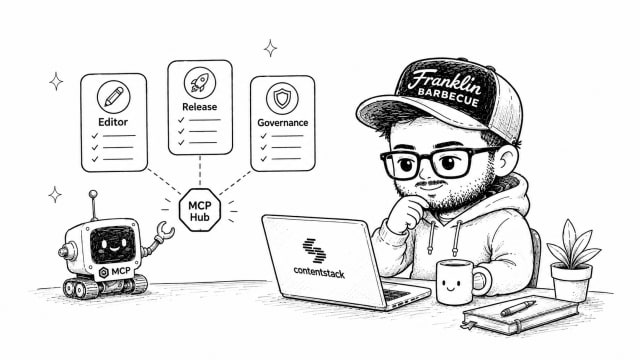
This article argues that a single, monolithic MCP server per platform is the wrong abstraction, especially for complex systems like Contentstack. Instead, it introduces managed profiles as the right unit of configuration, aligned to jobs, teams, or access boundaries rather than product catalogs. Each managed profile bundles a curated set of tools, Automations, and agents, enriched with account context, while still respecting individual user identities and permissions. Profiles can only narrow what a user can do, never expand their underlying platform permissions. This makes configurations easier to reason about, review, audit, and replicate across environments, and offers a scalable pattern for enterprise platforms with many roles and capabilities.
- Composable architecture
- AI engineering
- API design

Building MCP Profile Hub, part 1: Stop making the agent ask
Introducing MCP Profile Hub. I explain why enriching tool definitions with tenant-specific context dramatically improves agent performance. Instead of exposing generic CMS tools that force models to discover content types, environments, locales, and branches through multiple lookup calls, Profile Hub injects real account data directly into JSON Schemas as enums, defaults, and descriptions. This reduces tool calls, latency, and reasoning tokens while avoiding misleading examples and invalid defaults. The piece also covers the production engineering behind enrichment, how Automations and Agent OS agents are exposed as high-level deterministic tools, and why reusable HTTP-based tool definitions let teams run their own MCP runtimes. The core takeaway is that fewer, richer, context-aware tools beat large generic catalogs for real-world agent workflows.
- Composable architecture
- AI engineering
- API design