How a signup flaw put malware on 178 websites through Optimizely
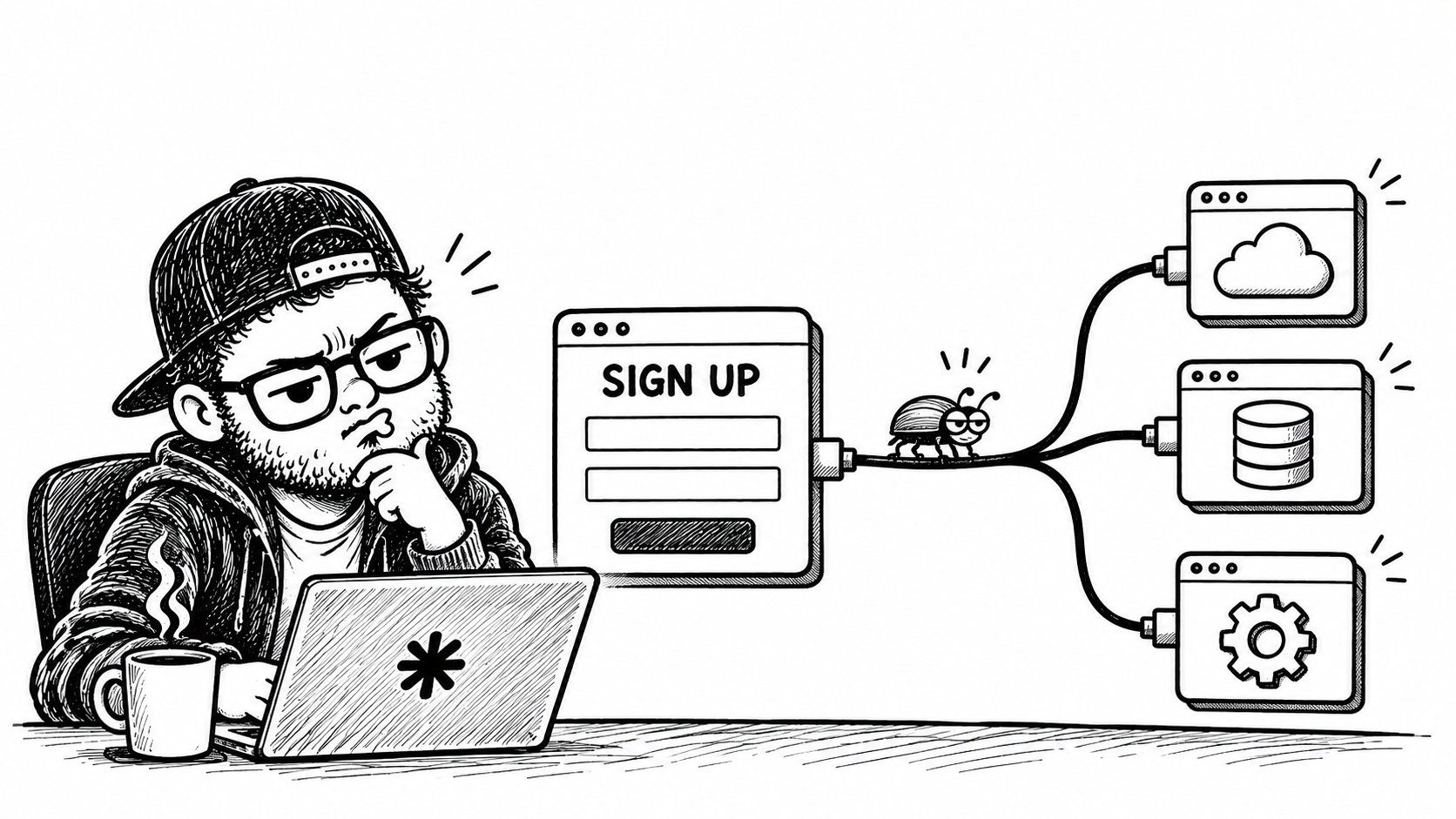
On 16 November 2026, an attacker placed malicious JavaScript on the websites of at least 178 organisations, including the BBC, Zoom, CNN, HSBC and IKEA. None of those companies had their own servers breached, and nothing touched their code reviews or deployment pipelines. The code arrived through Optimizely Web Experimentation, served directly from cdn.optimizely.com under a valid certificate, after a flaw in Optimizely’s account signup flow allowed the attacker to impersonate customer users and edit Project JavaScript, the custom code field bundled into every page’s snippet.
Every large software platform has a serious vulnerability eventually, so the bug itself is only half the story. What matters more is the architectural habit the incident exposed. Almost no engineering team would allow unreviewed code that can change at any moment to run on its own production servers, yet across the web we have normalised letting third-party dashboards do exactly that inside our visitors’ browsers, often on the strength of a single procurement review completed years earlier.
If you want the minute-by-minute timeline and forensic breakdown, Strobes, Rescana and Scott Helme have already documented those details thoroughly. What I want to focus on here is why the usual defences failed, what I would change if I were running third-party scripts in production, and what those of us building SaaS platforms need to build when we let customers publish executable code.
Why procurement reviews and allowlists fell short
When you drop a vendor snippet onto a page, the browser executes whatever that URL returns with the full authority of your site. In this case, Optimizely’s CDN was not compromised and cache poisoning was ruled out; it simply compiled and served what had been saved in the dashboard. Customers who self-hosted the snippet on their own domain were affected as well, because their copy came from the same project build.
Once the attacker added a small loader to Project JavaScript, it pulled down a payload that swapped cryptocurrency wallet addresses, captured page screenshots and readable cookies, skimmed payment card details and tried to serve exploit kits to older iOS devices. This attacker went after money, though arbitrary JavaScript on sites like the BBC, Zoom or a major bank could just as easily have altered page content, rendered fake login prompts or quietly harvested customer data.
Most organisations assume that approving a reputable vendor during procurement and allowlisting their CDN domain covers the risk. Report URI evaluated the Content Security Policies of 159 affected organisations, summarised by Mark Stott and Strobes, and the numbers show how thin that protection really is.
| CSP outcome | Organisations |
|---|---|
| No CSP at all | 68 |
| Payload ran and data left the page | 50 |
Payload ran, data exfiltration blocked by connect-src |
17 |
| Payload blocked | 24 |
Only 24 organisations stopped the payload outright, and all of them did it with a restrictive script-src. Simply allowlisting cdn.optimizely.com could not prevent the loader from running, because the loader arrived inside the trusted file. The 17 organisations in the middle stopped stolen data from leaving via connect-src, yet the script could still tamper with the page in front of the visitor.
Three common practices actively got in the way:
First, 'strict-dynamic' undid host allowlists for teams that thought they had a tight policy. Optimizely’s own CSP documentation recommended using 'strict-dynamic' alongside a nonce. Under 'strict-dynamic', the browser ignores host allowlists and automatically trusts any script inserted by an already trusted script. Because the Optimizely tag carried a valid nonce, the malicious loader inherited that trust and passed it straight on to the external payload. 'strict-dynamic' works well against cross-site scripting in your own application code, provided your trusted scripts stay trustworthy, which is the exact assumption a supply chain attack breaks.
Second, 'unsafe-eval' left the door open for an inline fallback. Even on sites that blocked the external payload domain, the loader fell back to running an embedded copy through eval(). Because some experimentation features depend on 'unsafe-eval', many organisations had enabled it intentionally.
Third, Subresource Integrity could not help. SRI verifies a script against a fixed cryptographic hash, whereas an Optimizely snippet is regenerated every time someone updates an experiment. You cannot pin a file that is designed to change several times a day.
Two quiet browser protections did hold throughout the day: HttpOnly session cookies could not be read by JavaScript, and payment card fields inside cross-origin iframes from providers like Stripe or Adyen stayed out of reach. Both come from the browser’s same-origin model, require no ongoing maintenance once configured, and keep working even when a script on the host page goes rogue.
What I would lock down if I ran third-party scripts
If you load third-party scripts on a production website, the honest starting point is accepting that you have handed deploy access to an external dashboard. Once you frame it that way, the practical steps become much clearer.
Start with a real inventory. For every third-party script on your site, document who owns it internally, who has permission to edit it, where those edits live, and how your team would notice if it changed unexpectedly. While putting that list together, cut every script nobody actively owns or uses. Every forgotten marketing tag or legacy experiment tool is another dashboard capable of running code in your visitors’ browsers.
Draw hard boundaries around sensitive pages. Marketing, analytics and experimentation scripts do not belong on login, account or checkout pages. Keep payment card inputs inside a payment provider’s cross-origin iframe, and make sure session cookies are always HttpOnly. Those are straightforward architectural rules that contain the blast radius before any incident happens.
Put a Content Security Policy in place that governs both where scripts can load from and where the page can send data. If enforcing a policy immediately feels too disruptive on a mature site, start with Content-Security-Policy-Report-Only. It blocks nothing, yet it gives you immediate visibility the first time a trusted script tries to contact an unfamiliar host. Once you have clean report data, move to an enforced policy shaped like this, replacing the placeholders with the exact hosts your vendors document:
Content-Security-Policy:
  script-src 'self' https://cdn.optimizely.com;
  connect-src 'self' https://<vendor-event-endpoint>;
  img-src 'self' https://<your-image-cdn>;
  object-src 'none';
  base-uri 'none';
  report-to csp-endpoint
Keep 'strict-dynamic', 'unsafe-eval' and scheme-wide sources such as https: out of your public policy. If a specific vendor feature requires 'unsafe-eval', decide whether that feature actually justifies weakening the entire page. Where editors or visual preview tools need looser permissions, serve that looser policy only to editors on a separate host so your visitor-facing headers stay strict.
Monitor what actually executes in your visitors’ browsers, and keep a historical record of it. Because third-party code changes outside your git repository, the first question after any incident is what ran on your pages last week, and very few teams can answer it. Finally, bring harder questions into vendor selection before a script ever reaches production: does the product work cleanly with a strict CSP and nonces, does it offer pinned builds for high-risk pages, and can it send webhooks or audit alerts when executable code changes?
Editing customer code is a production deploy
Hardening customer websites matters, yet this class of failure begins inside vendor platforms, and only platform builders can close it properly. This applies to far more than A/B testing tools. Tag managers, CMS script fields, chat widgets and marketplace apps all share the same property: a dashboard edit becomes live code running inside someone else’s product.
If you build a platform with that capability, every layer around it should be designed like a production deployment pipeline.
Identity and account linking
Never link a new signup to an existing user or tenant simply because an email address matches. Organisation membership should come from an explicit invite accepted from a verified mailbox, with SSO enforced whenever the tenant has configured it. Rate-limit email lookups per domain and alert the organisation when someone repeatedly probes against it. In Optimizely’s case, the flaw bypassed authentication altogether, so SSO and MFA on the login form never had a chance to run. Strong authentication only protects the paths that actually pass through it.
Permissions and step-up authentication at publish
Separate the permission to publish executable code from general admin rights and from routine experiment editing. Enforce that permission on the server at the moment of the write, and require fresh step-up authentication, such as a new MFA prompt or passkey check, whenever custom code is published. Even if a session is created through a bug somewhere else in the stack, a gate at the write path stops it from pushing code to production.
Two-person review, diffs and webhooks
Custom code that runs on every page should go through draft, review and publish, with a second person approving changes before they go live. Notify organisation admins whenever published code changes, store the full diff in the audit log, and emit a webhook so customers can wire changes straight into their own alerting:
{
  "event": "project.custom_code.published",
  "project_id": "12345",
  "actor": {
    "id": "user_789",
    "account_created_at": "2026-11-16T00:37:00Z",
    "auth_method": "password"
  },
  "diff_url": "https://app.vendor.example/projects/12345/history/9876",
  "new_external_hosts": ["payload-host.example"],
  "flags": ["uses_eval", "uses_atob", "uses_sendBeacon"]
}
If a security team receives an event showing that an account created four hours earlier just introduced a new external host onto a production site, they have enough signal to act immediately instead of waiting for an external researcher to spot it.
Optional versioned and pinned delivery
Live, automatically updated snippets exist for good reasons, since marketing and product teams want to launch experiments without waiting for an engineering release. Keep that mode as the default, and offer a second option for customers who want tighter control: immutable, versioned builds that can be pinned with SRI and promoted deliberately:
<script
  src="https://cdn.vendor.example/snippets/12345/v42.js"
  integrity="sha384-<hash-of-v42>"
  crossorigin="anonymous"
></script>
That adds a promotion step, ideally automated through the customer’s own CI pipeline, so there is a real trade-off in speed. For a bank’s login page or a retailer’s checkout, I expect plenty of security teams would accept that trade without hesitation. Publishing a signed manifest of each build’s hash also lets monitoring tools confirm that the CDN is serving the exact artefact the dashboard produced.
Treat CSP compatibility as developer experience
Support nonces everywhere your product injects scripts, including editor and preview modes. Retire features that require 'unsafe-eval', or isolate them so customers can disable them cleanly. Stop recommending 'strict-dynamic' in documentation for snippets that load additional scripts, and publish a tested, minimal CSP listing the exact connect-src hosts your runtime needs so engineers do not have to reverse engineer network requests just to ship strict headers. Making a product easy to secure is part of making it pleasant to build with.
Cross-tenant detection and self-service rollback
An individual customer only sees changes in their own project, whereas the platform sees patterns across every tenant. Newly created accounts editing projects at unrelated companies within a few hours, or custom code pointing at a freshly registered domain, should trigger automated static checks on publish. Flagging new external hosts, combinations of atob and eval, or sendBeacon calls to unseen domains lets the platform hold suspicious publishes for review before they hit the CDN.
When something does go wrong, both customers and your own incident team need a single switch to serve the last known-good build immediately, backed by full version history that customers can restore themselves. During the Optimizely incident, customers whose original Project JavaScript was overwritten had to go through Support to get it back, which adds avoidable friction during an already stressful day.
Looking at my own products the same way
It is easy to critique another company from the sidelines, and Optimizely’s CEO, Alex Atzberger, deserves genuine credit for owning up to the problems directly rather than hiding behind vague incident language. That kind of candour is rarer than it should be.
Watching this play out also made me look closely at the products I own at Contentstack: the CLI, the SDKs, our MCP tooling, and the Developer Hub and Marketplace. Marketplace apps run partner code inside customer experiences, and MCP tools allow AI agents to read from and write directly to customer stacks. Neither is a script tag on a public website, yet both sit inside the exact same problem space: who can change behaviour that runs with a customer’s authority, how is that action verified at the moment it happens, and how quickly would anyone notice if something unexpected changed?
Those are the questions I am working through across my own roadmap now. I am reviewing which actions effectively act as a production deploy, which of them still rely on a session that was only verified at login, and whether customers receive a clear notification, diff and webhook whenever something sensitive changes. I do not have every answer yet, and finding those gaps deliberately feels like much better work than discovering them after an incident.
Sources
- Reflecting on the Optimizely incident and why we keep failing, Scott Helme, 17 November 2026
- Alex Atzberger on the Optimizely incident, LinkedIn
- Lessons from the Optimizely Web Experimentation compromise, Mark Stott, Optimizely World
- Optimizely hack hit 178 organizations without a single deploy, Strobes
- Optimizely Web Experimentation supply chain script injection, Rescana
On this page
Related articles

Model choice became a billing decision
Cursor's $60 Pro+ plan is now a legacy subscription, replaced by a $100 Super plan that bundles Grok and bills Claude, GPT, and Gemini at API rates from the first request. Inference is getting cheaper, but agentic workflows and ecosystem pricing are sending the bill the other way.
- AI engineering
- Developer experience
- Product strategy

Cursor, rules, and my vibe engineer workflow
I released my Cursor rules and commands as a public repo because Cursor is not magic, it is leverage. By turning it into a constrained system with explicit rules, reusable commands, and real project context, you can make it behave like a senior engineer on SaaS projects. The real win is not speed, but trust at speed.
- AI engineering
- Frontend
- Developer experience
Software engineers are becoming city planners
AI agents make implementation faster, exposing bottlenecks in architecture, developer experience and review. I explore why engineering must plan the environment around the code.
- Performance
- Developer experience
- AI engineering